

优麦云-logo
enEnglish
Home
Web
Pricing
Blog
Help
Extension
Affiliate
Sign up for free
Demo
Log in
  1. Home
  2. >
  3. Help
  4. >
  5. Usage Help
  6. >
  7. 进销存
Quick Start
Quick StartEssential Guide for Beginners
Usage Help
Usage HelpEssential Guide to Key Features
Operations Insights
Operations InsightsIndustry News and Best Practices

优麦云帮助中心与用户操作指南——功能图文教程

预览
Please enter keywords

Help documentation

Getting Started

Getting Started

Authorization & Settings

Authorization & Settings

Sales Dashboard

Sales Dashboard

Advertising

Advertising

Business Insights

Business Insights

Inventory

Inventory

Monitor

Monitor

Customer Service

Customer Service

Finance

Finance

FBA Inventory

FBA Inventory

Mobile APP

Mobile APP

Browser Extension

Browser Extension

Subscription & Purchase

Subscription & Purchase

About SellerSpace

About SellerSpace
  1. Home
  2. >
  3. Help
  4. >
  5. Using Help
  6. >
  7. 进销存
库存流水 - 图文教程

2024/12/05Views(6853)Reviews(0)

进销存系统 - 库存流水功能,支持查看系统内所有库存操作记录。


支持查看操作记录类型:

入库操作:初始入库、其他入库、采购入库、调拨入库、加工入库、拆分入库;

出库操作:其他出库、FBA出库、调拨出库、退货出库、拆分出库、加工出库;

其他操作:库存调整、成本补录、已撤销操作。


具体使用方法如下:


进入ERP模块,选择【库存流水】功能,进入功能页面;
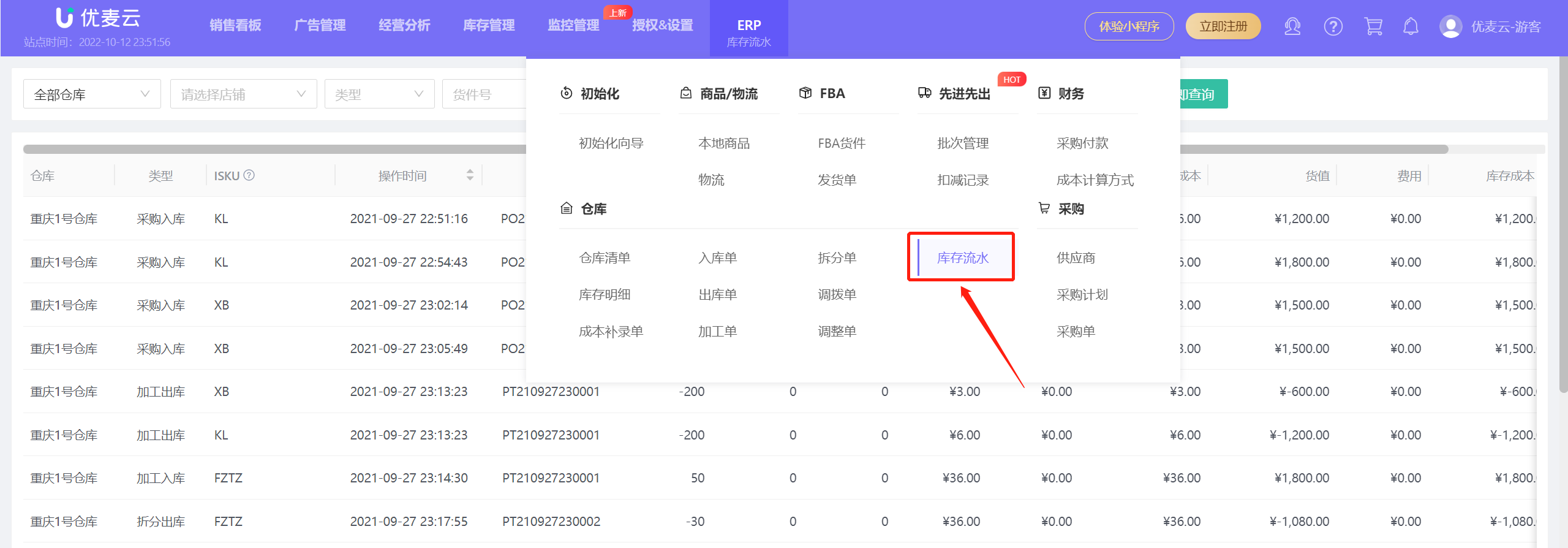

功能教程截图+


通过筛选仓库、操作时间、操作类型、单据号或ISKU(精准搜索),即可查看对应操作记录;
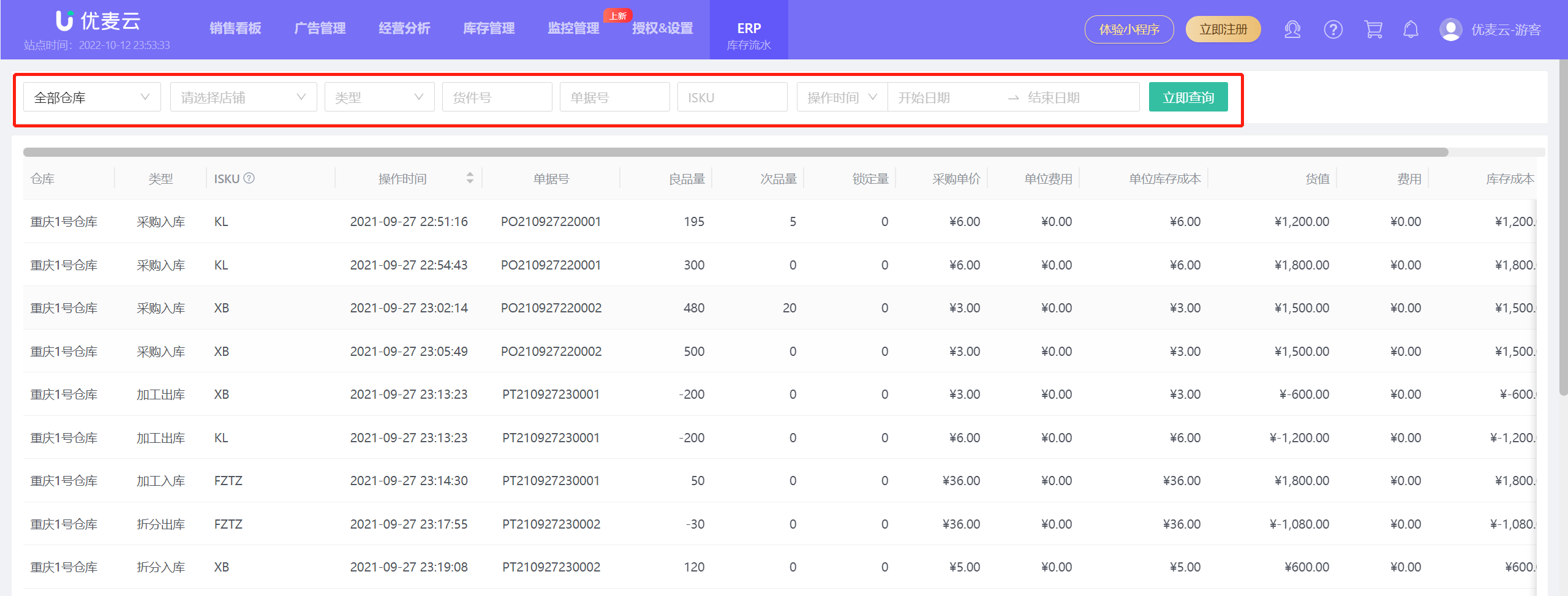

功能教程截图+


操作记录包含详细的操作信息,如:操作人、操作时间、操作类型、对应库存变化、商品价格变化等等。
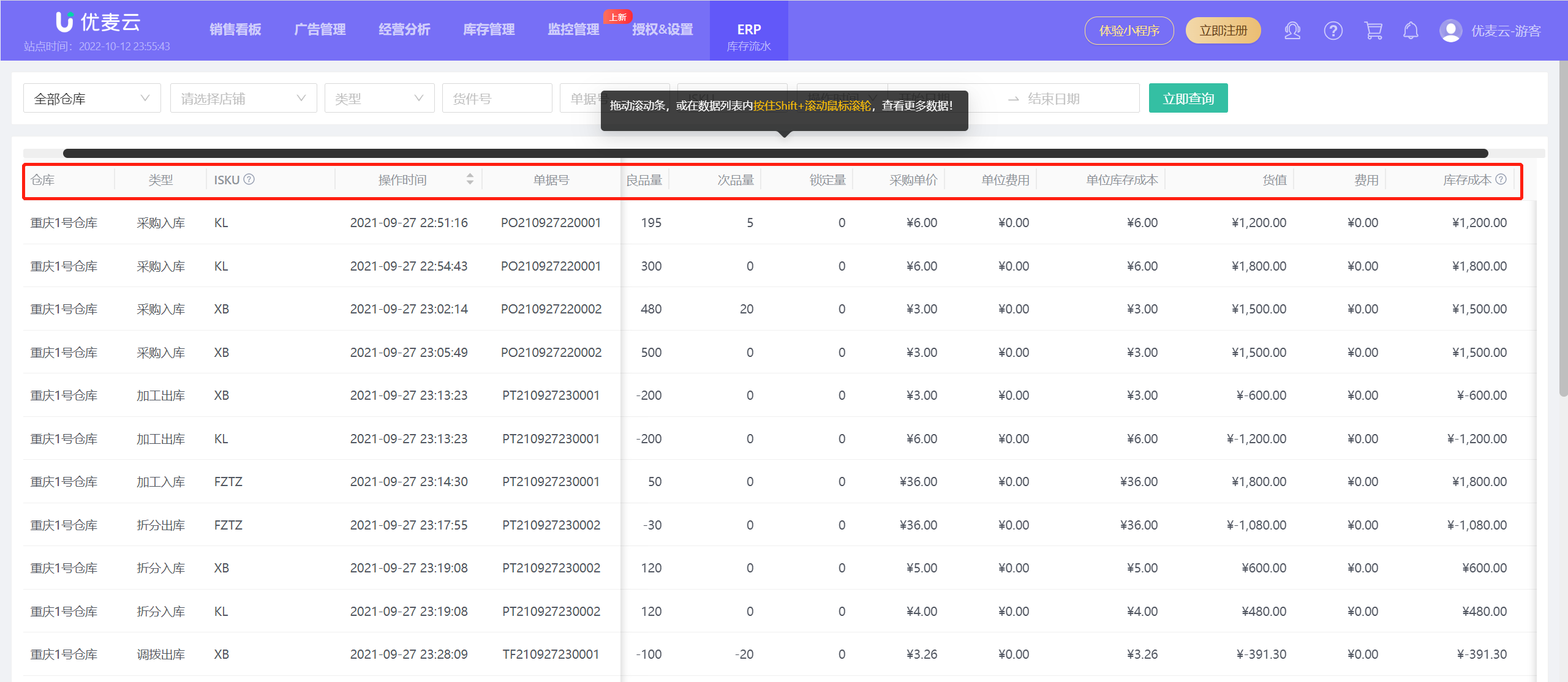

功能教程截图+


Previous

Next

优麦云

SellerSpace is a concise tool to manage multiple Amazon accounts, focuses on solving various problems encountered by sellers during operating Amazon business.

About UsPrivacy PolicyTerms Of Service

Product

SellerSpace WebSellerSpace APPSellerSpace Extension

Novice on the road

HelpPricingWeb中文English日本語中文-繁體

Mail:support@sellerspace.com

©2018-2026 SellerSpace.COM All Rights Reserved

Online

Service
