
 English


2025/03/20Views(10315)Reviews(0)
I. Target Audience
Operations, Finance
II. Feature Overview
Amazon FBA sellers can request reimbursements for products lost or damaged while in Amazon's custody, shipment discrepancies, and products not returned after a customer return. Amazon proactively reimburses for some of these inventory issues, but sellers can independently file claims for overlooked eligible inventory.
The YouMail Cloud Claim Indemnity Assistant feature automatically synchronizes and displays details of your eligible-for-claim product inventory. Combined with the 【Claim Report】, it helps sellers promptly and effectively file claims, recovering lost inventory costs.
YouMail Cloud Claim Application Logic:
- Claimable inventory information is updated daily.
- After store authorization, data from 18 months to 1 month prior to authorization is automatically retrieved. Subsequently, data from the previous month is analyzed daily.
- If no result is received within 30 days after submitting a claim, the application becomes invalid and can be resubmitted.
- For shipment loss claims, a claim can be filed as long as there is a difference between the declared quantity and the received quantity when the shipment status is completed.
III. Use Cases
- Timely and effective reimbursement for the cost of lost inventory.
- View reimbursement results for all filed claims.
IV. Operation Guide
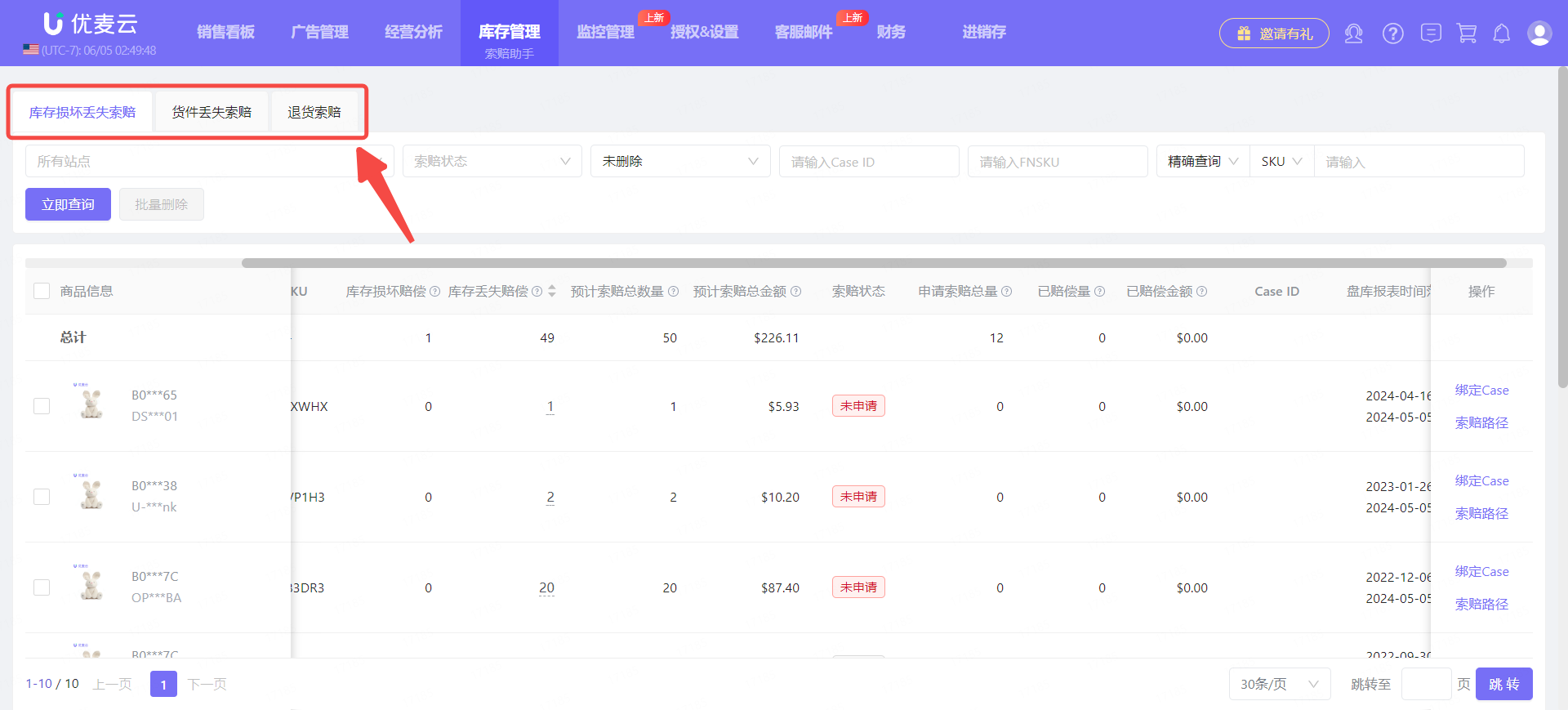
The YouMail Cloud Claim Indemnity Assistant categorizes claimable product inventory into three types: Inventory Damage and Loss Claims, Shipment Loss Claims, and Return Claims.
 +
+
Their claim operation methods are essentially the same.
Next, we will use "Inventory Damage and Loss Claims" to explain how to use the YouMail Cloud Claim Indemnity Assistant.
Let's take requesting a claim for unclaimed product inventory in the YouMail Cloud K-North America store as an example.
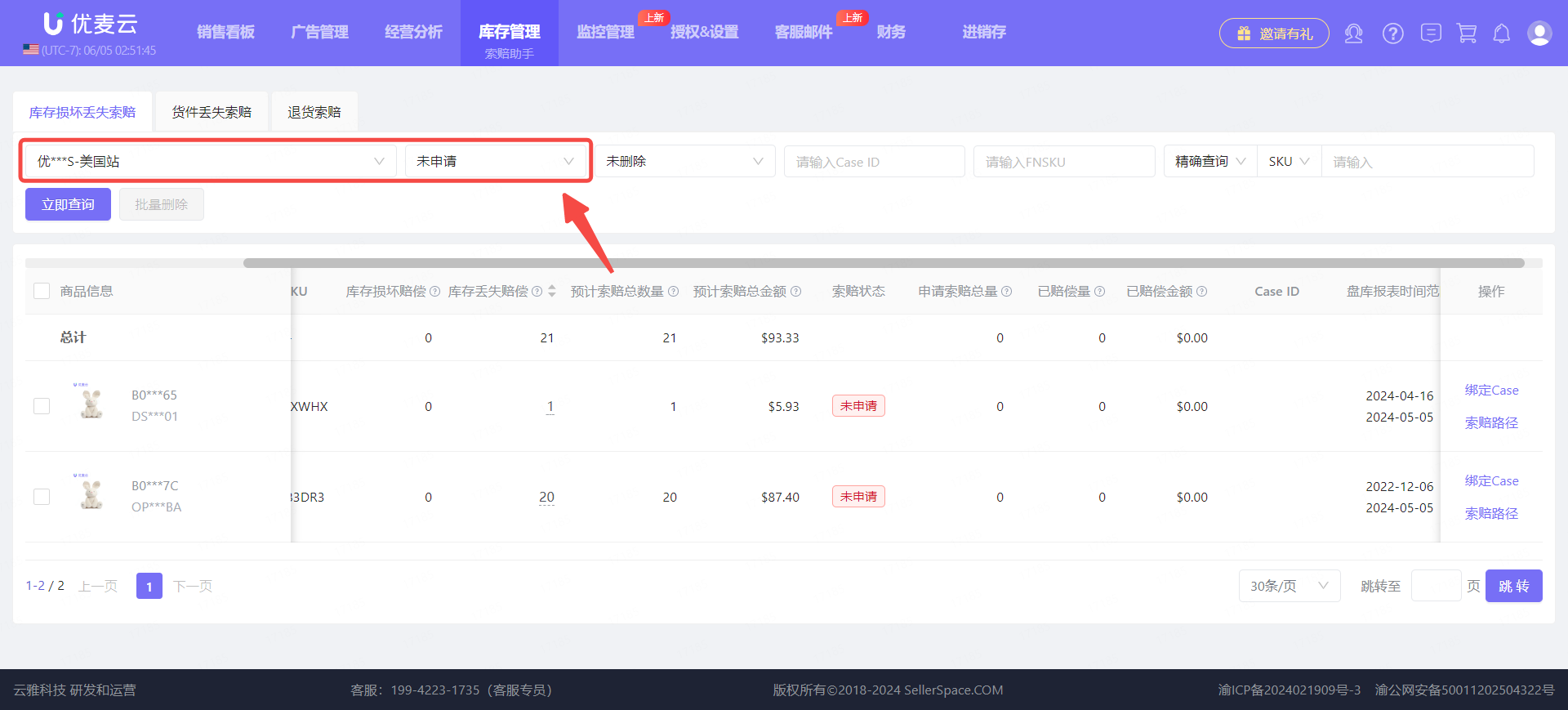
Enter the Claim Assistant feature, 【Inventory Damage and Loss Claims】 page,
Filter by store 【YouMail Cloud K-North America】, Claim Status: Unclaimed, to find unclaimed product inventory.
 +
+
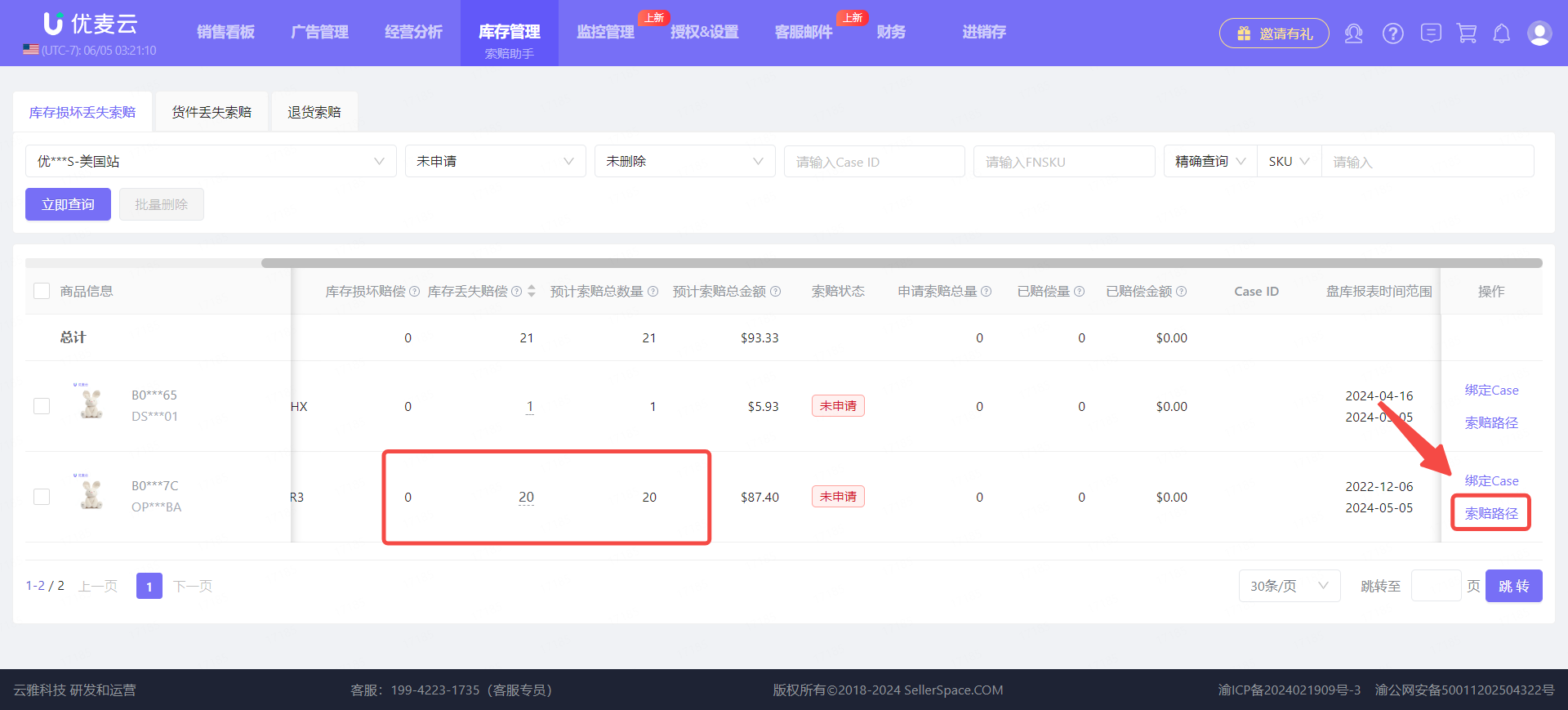
We can see that the YouMail Cloud K-North America store has one product with 20 units of lost inventory that are eligible for claim.
Click 【Claim Path】 on the right to enter the claim guidance page.
 +
+
Enter the "Claim Path", claim guidance page,
For claim appeals, it is recommended to appeal for only one FNSKU per Case, and the number of appeals per store-marketplace should not exceed 10 per day.
Specific appeal operations are as follows:
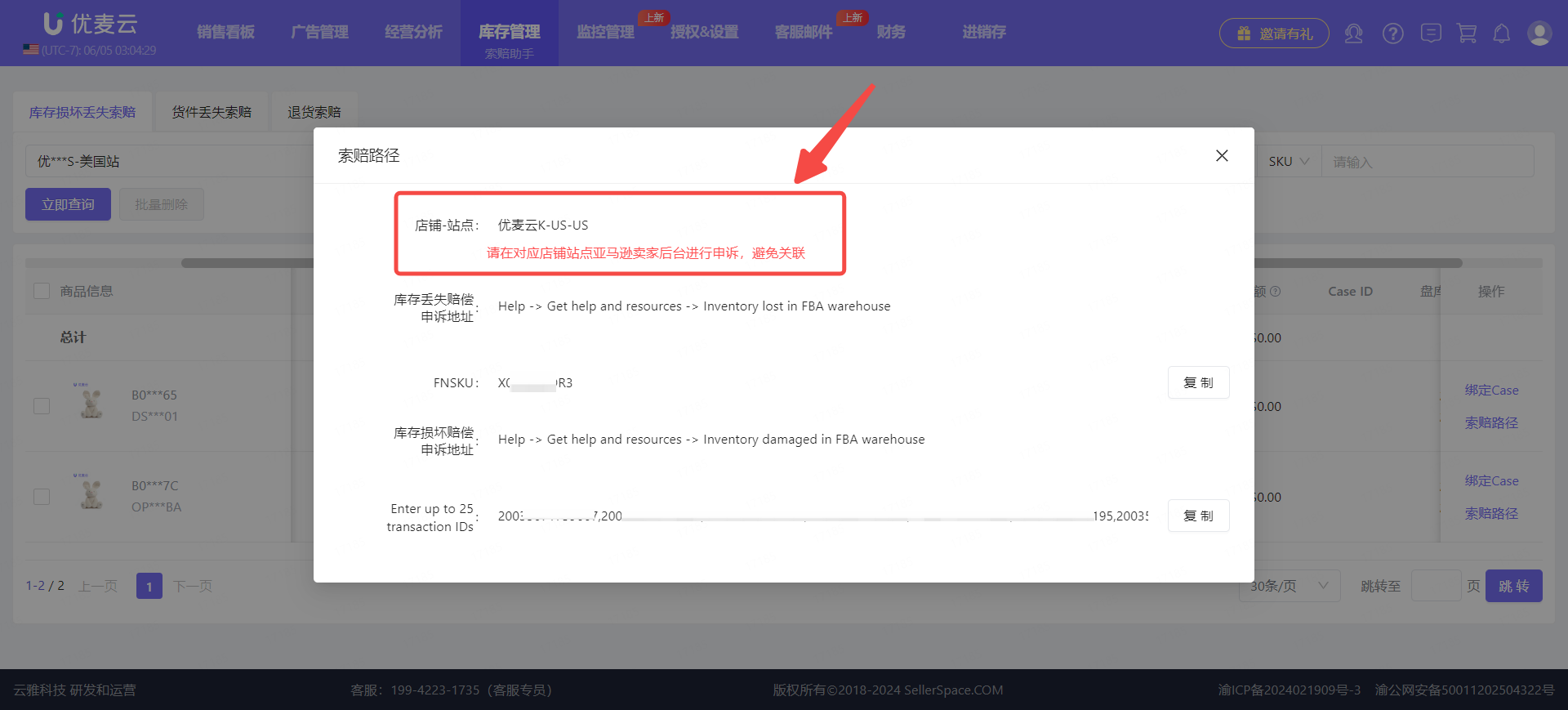
First, we need to confirm the claim store.
Be sure to confirm that you are appealing in the Amazon Seller Central of the corresponding store and marketplace to avoid account association issues.
 +
+
Then, through the appeal path, find the claim appeal page in Seller Central.
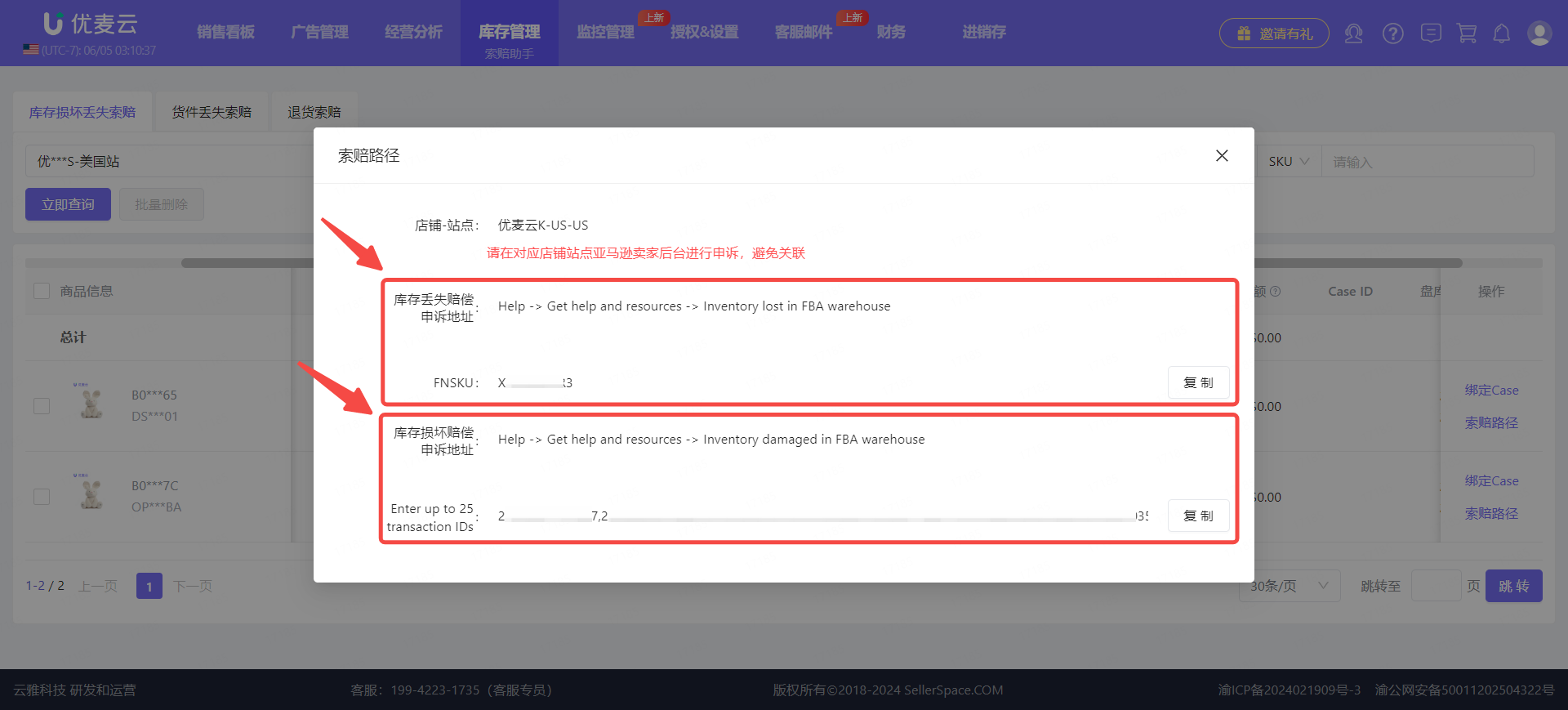
On Amazon, inventory loss and damage are 2 types of claimable issues, and appeals are filed through two different paths, with different supporting materials required. Submit under the corresponding path according to the claimable inventory type.
 +
+
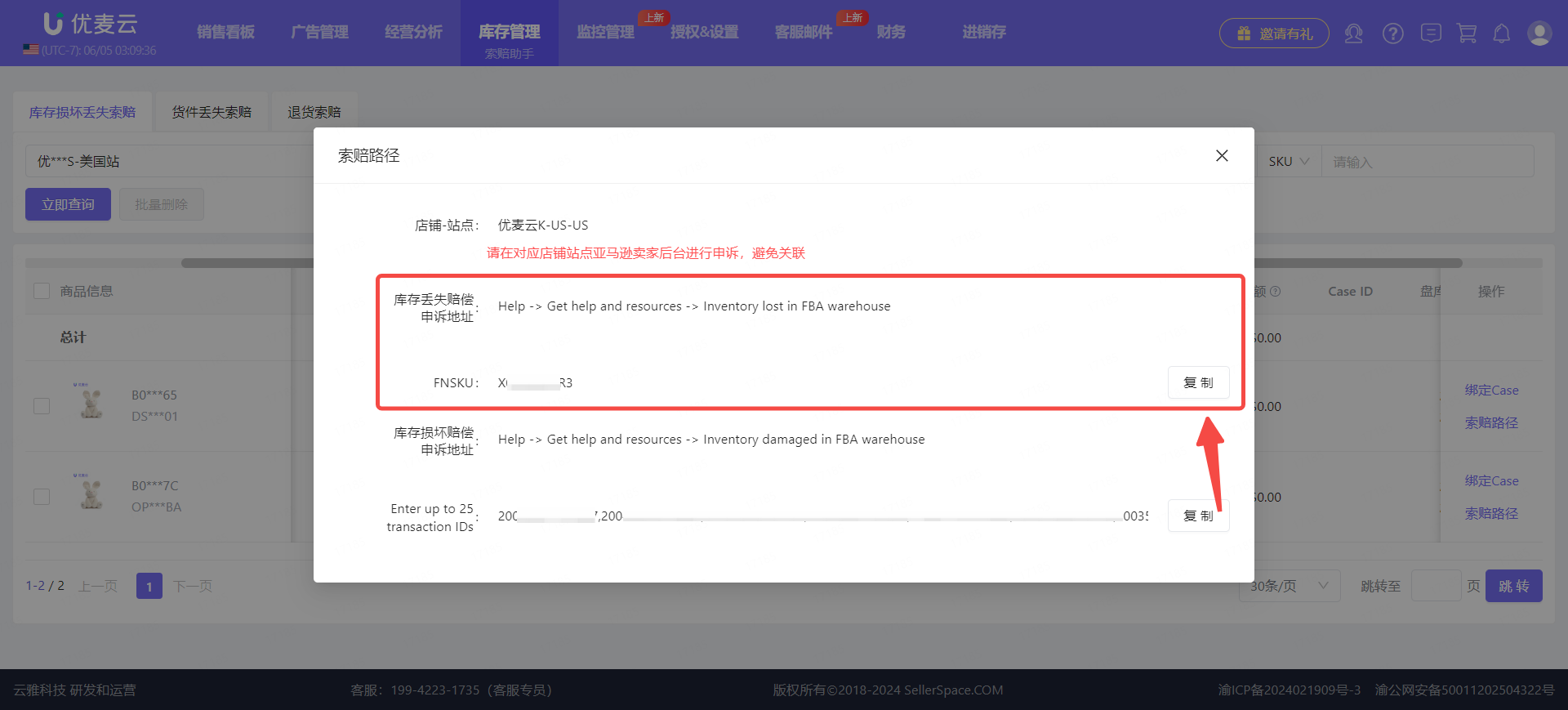
This time we are claiming for 20 units of lost inventory. Therefore, click to copy the FNSKU and follow the appeal path to find the corresponding appeal entry in Seller Central.
Note: Please ensure that you are appealing in the Amazon Seller Central of the corresponding store and marketplace to avoid account association issues!!
 +
+
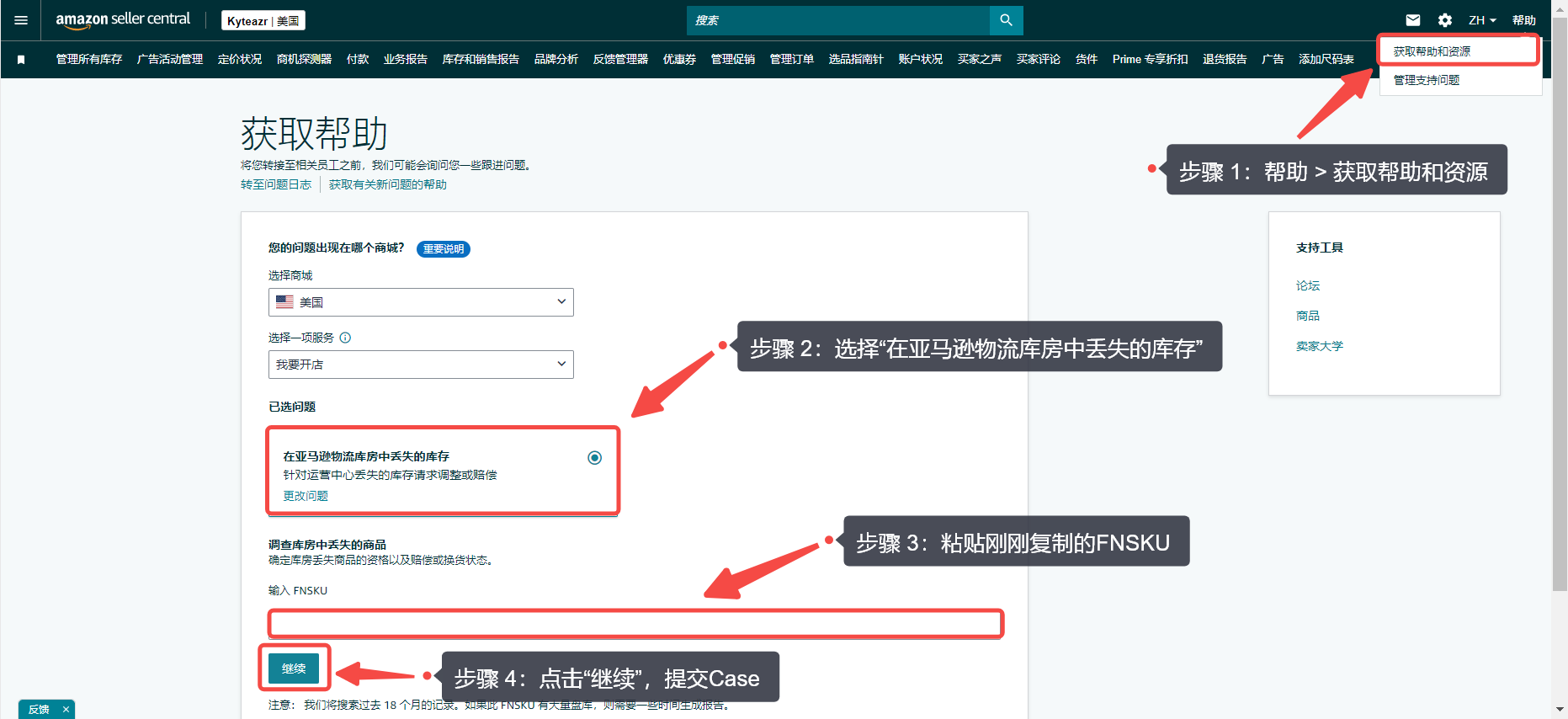
Enter the appeal entry in Seller Central, paste the FNSKU you just copied, and then submit the appeal.
 +
+
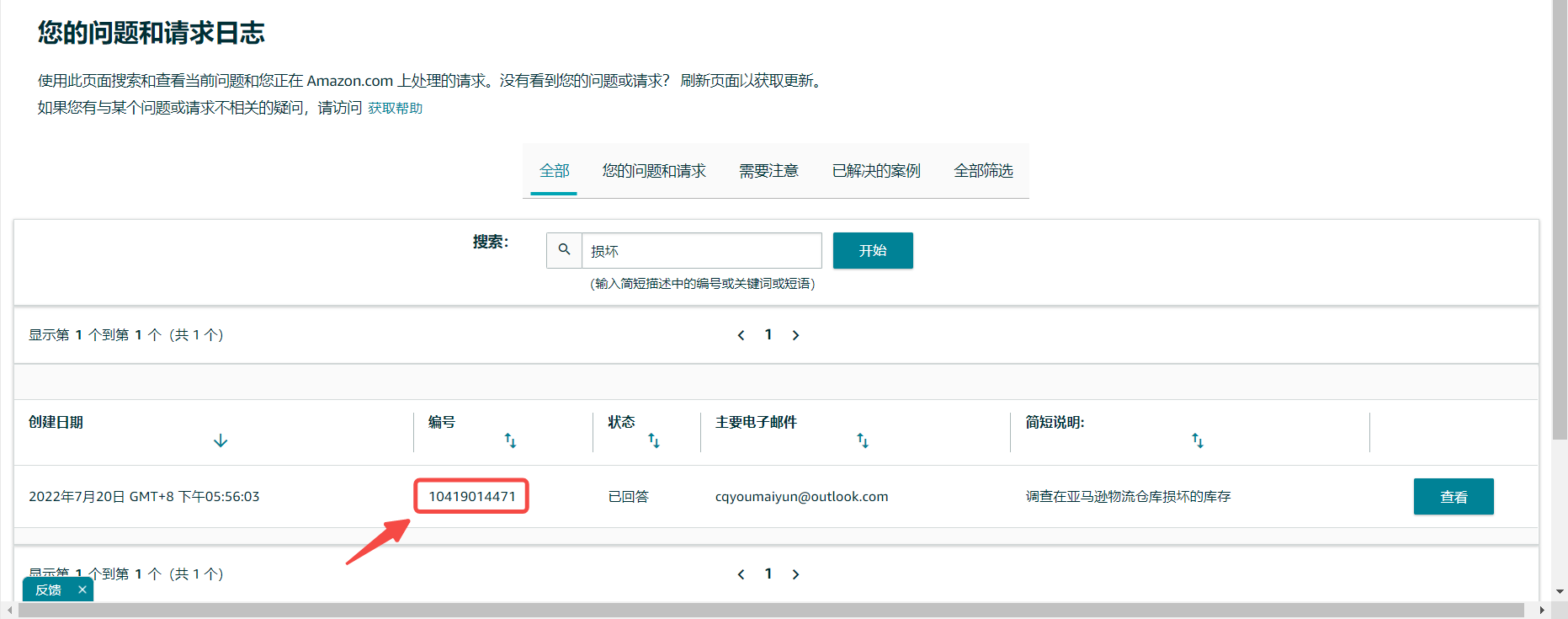
After submitting the Case, a Case ID will be automatically generated.
We can bind the Case ID to YouMail Cloud to automatically synchronize the claim progress.
In Seller Central's Case Log, find the corresponding Case ID (The Case ID will also be displayed when submitting the Case, you can also copy and save it then).
 +
+
Return to the YouMail Cloud "Claim Assistant" feature,
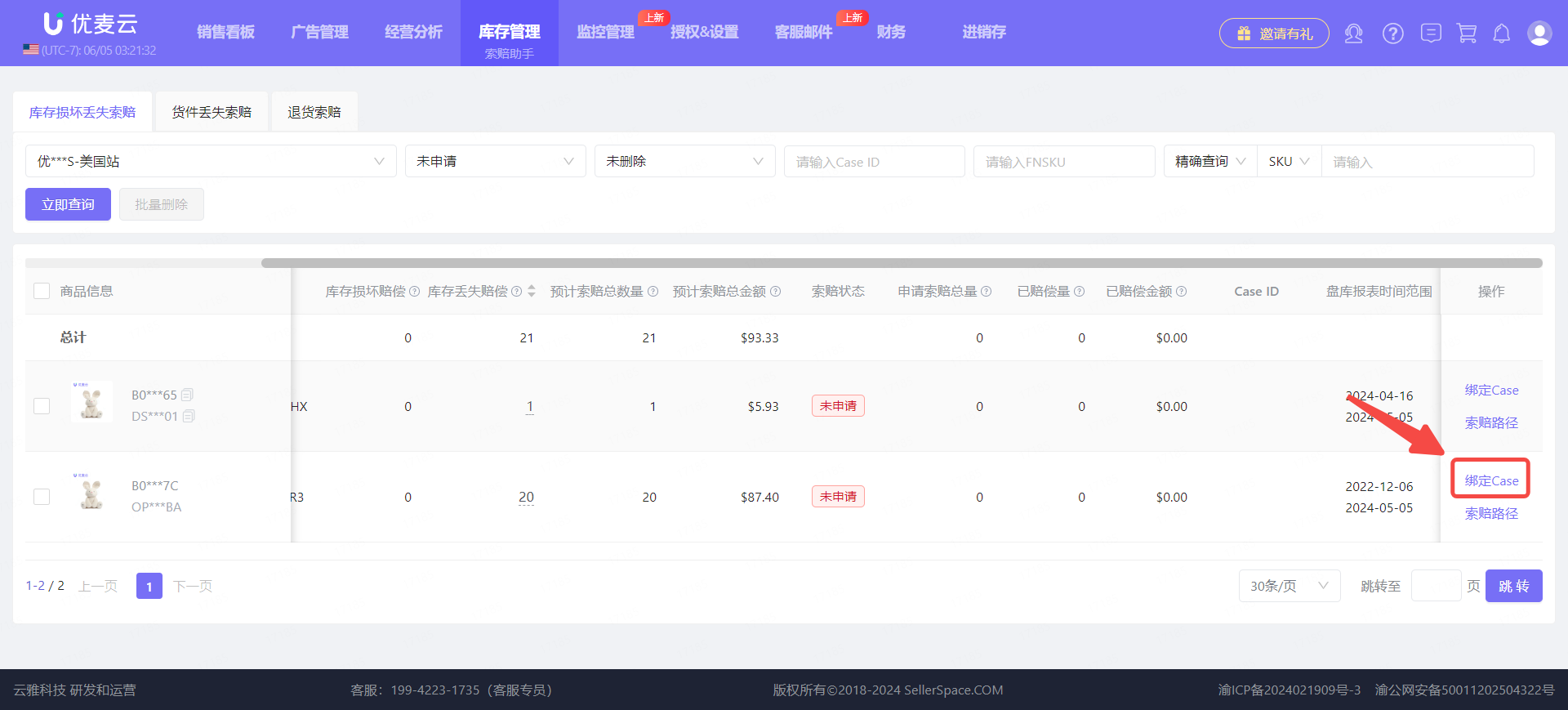
Click 【Bind Case】 on the right side of the corresponding claim product to enter the binding page.
 +
+
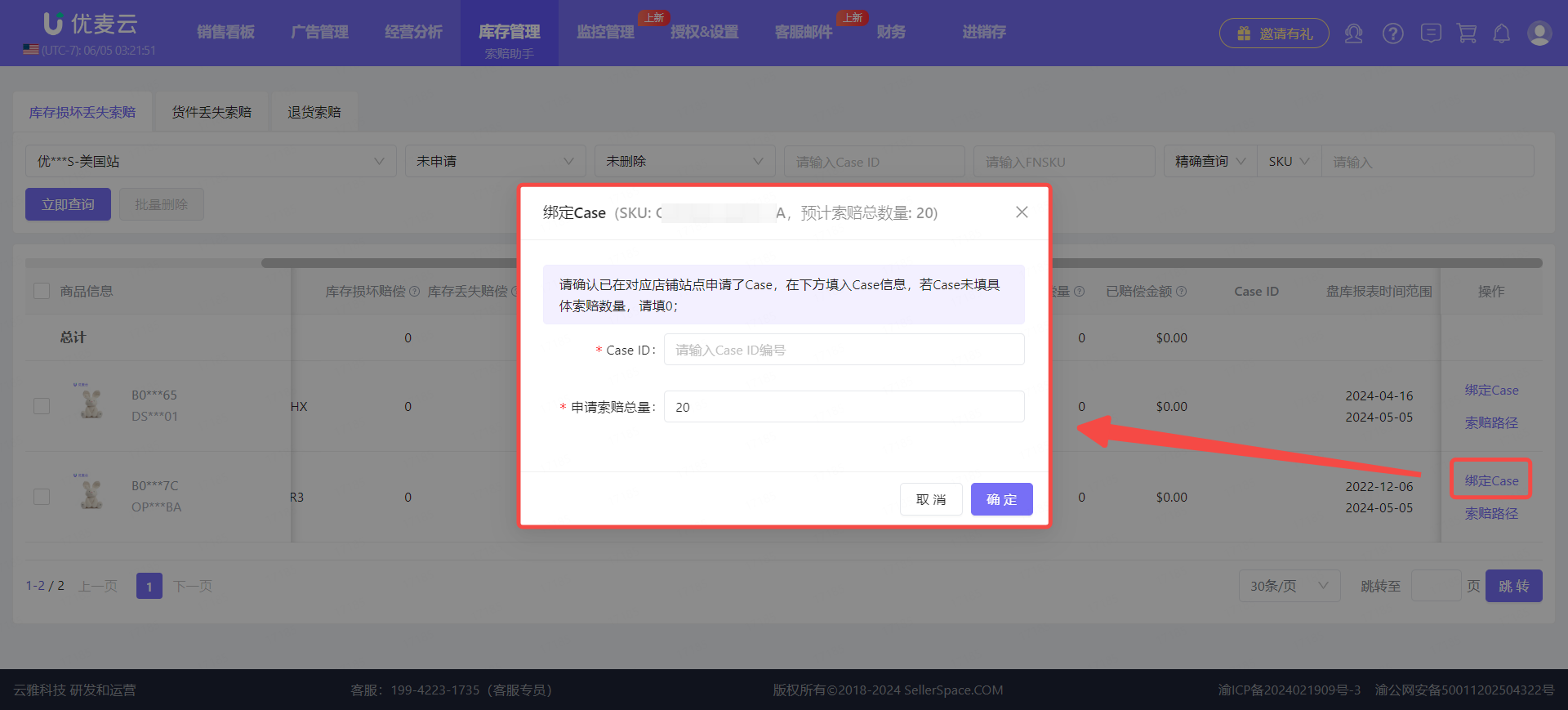
Enter the Case ID and the claimed quantity, and save.
 +
+
At this point, the entire claim operation is completed.
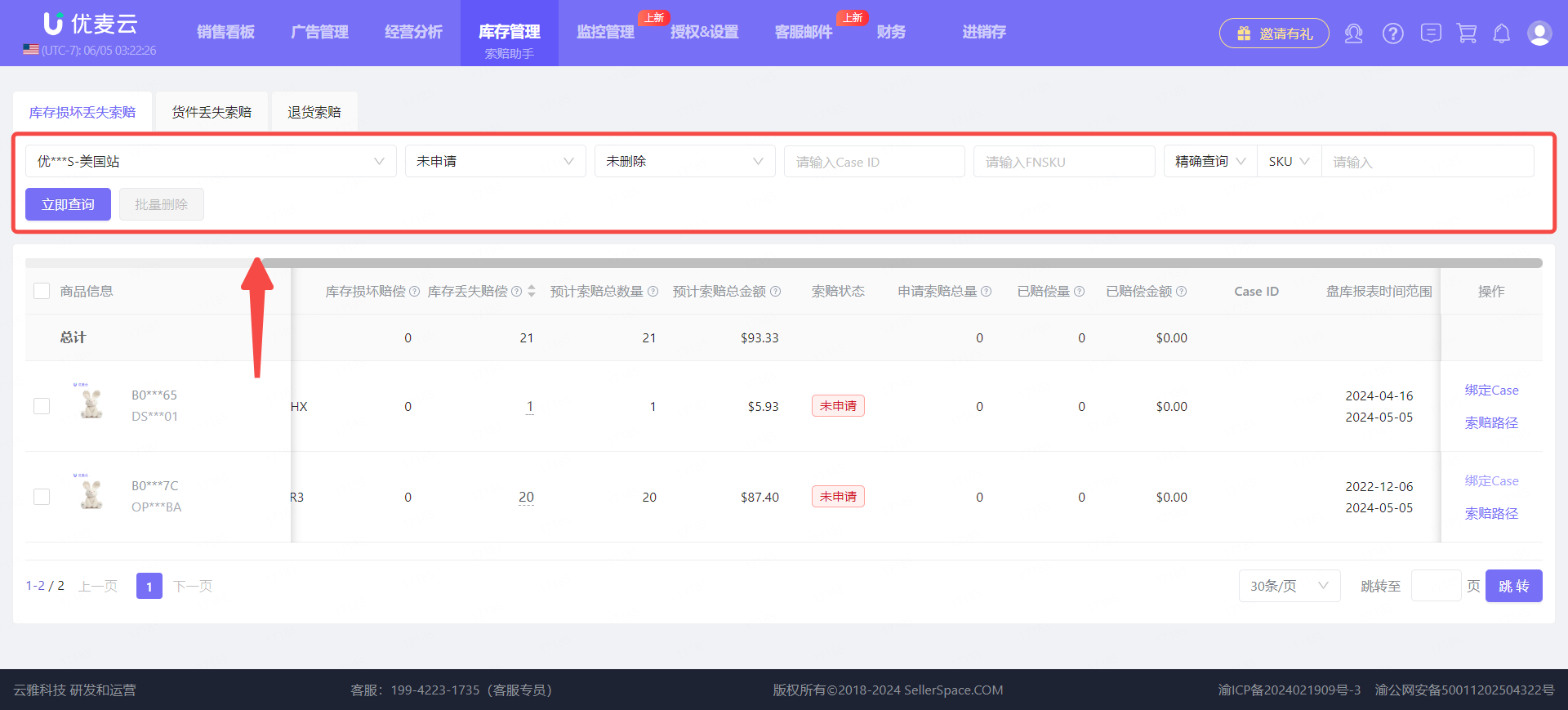
In addition to filing claims, we can also view all claim records in the 【Claim Assistant】 feature.
Through the search bar above, filter by: Store, Claim Status, Case ID, or SKU/ASIN/Parent ASIN to find the corresponding claim records.
 +
+
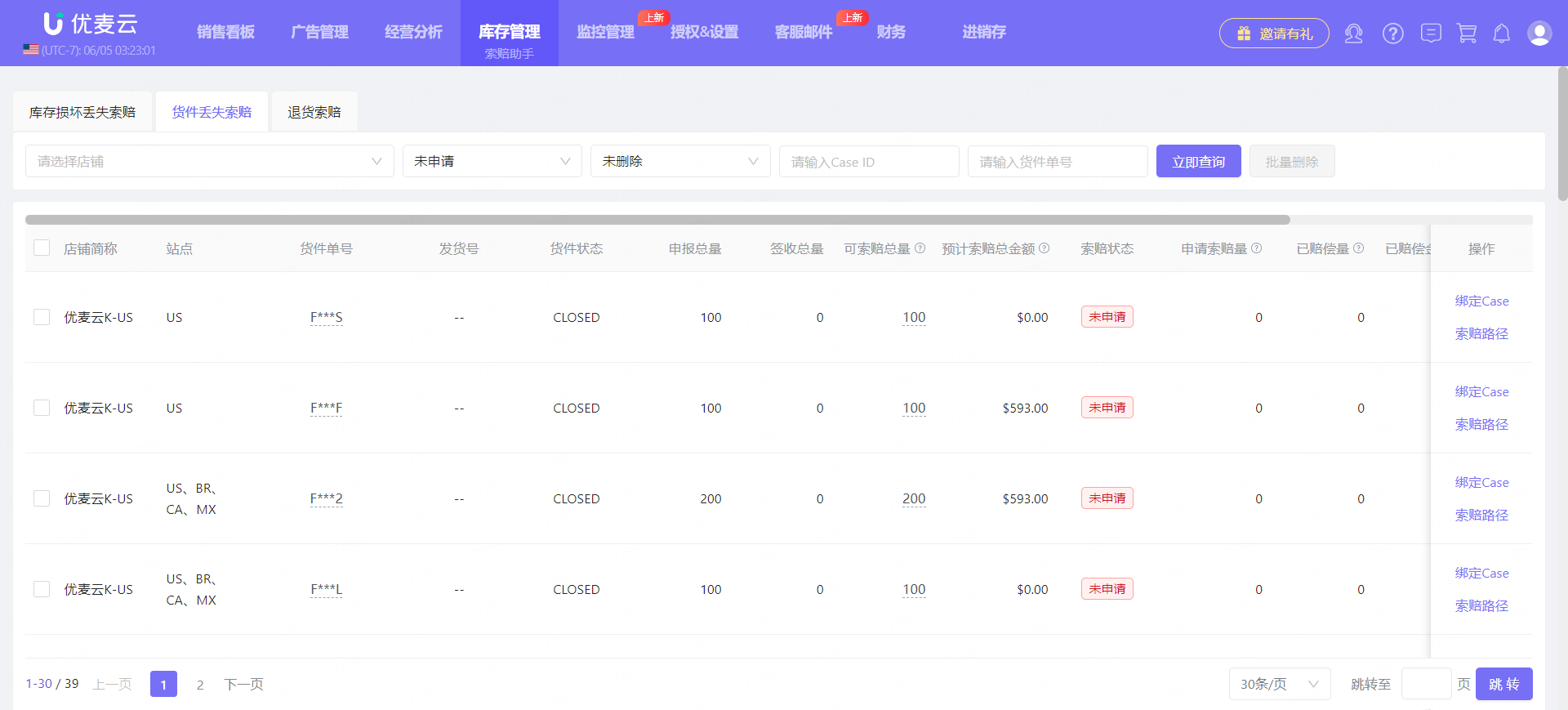
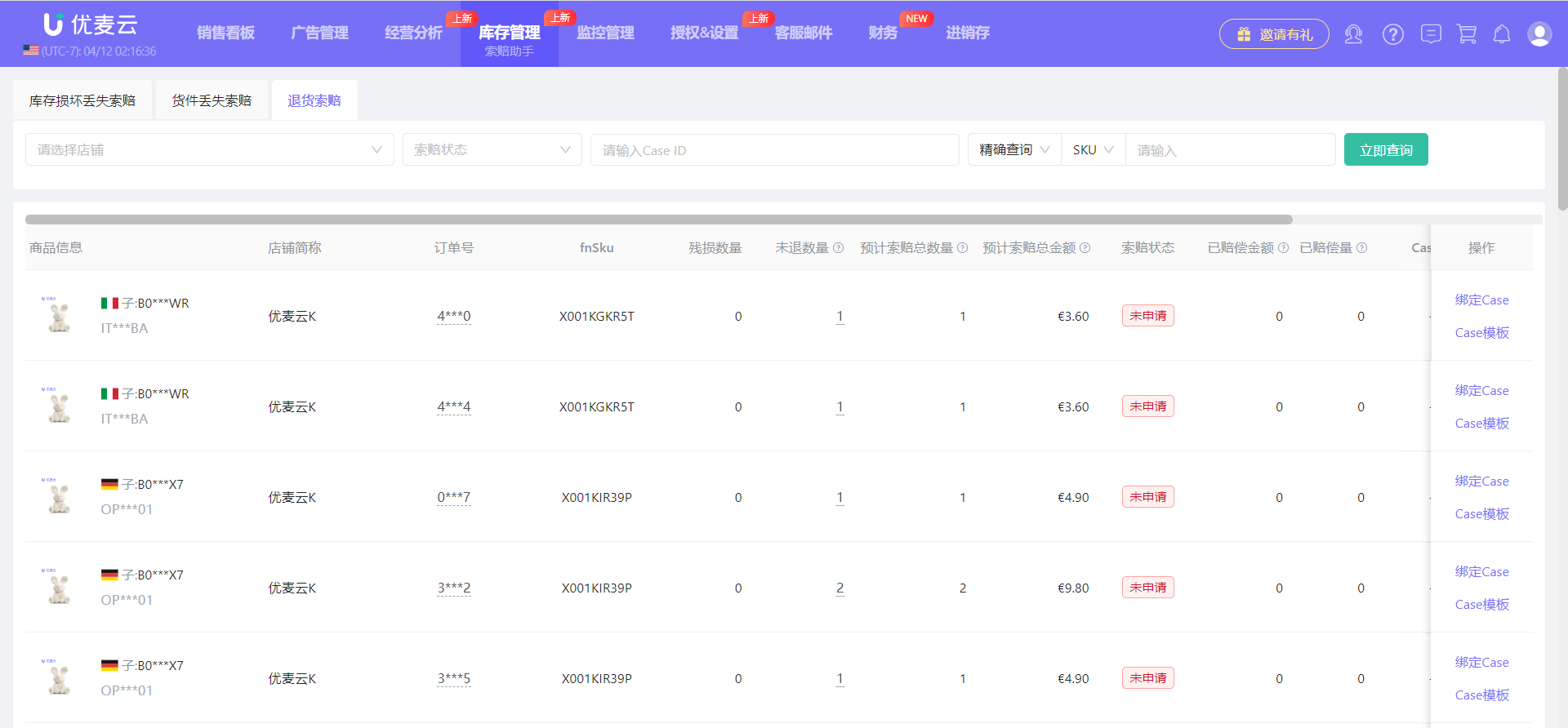
The operation methods for "Shipment Loss Claims" and "Return Claims" are essentially the same as for "Inventory Damage and Loss Claims".
"Shipment Loss Claims" operation page:
 +
+
"Return Claims" operation page:
 +
+
